Raspberry Pi Zero 2 W Powers a Three-Color E-Ink D&D Rulebook
- Joseph Davis
- 653 reads
Géza Csorba built a portable game reference with a Zero 2 W, Pico-controlled buttons and a three-color e-ink display.

A slow e-ink display can still work well as a tabletop game reference if the device only needs to change pages when a player asks. Géza Csorba used that idea to turn a book into a portable digital Dungeons & Dragons codex, with a Raspberry Pi Zero 2 W driving the display and a Raspberry Pi Pico handling its navigation buttons.
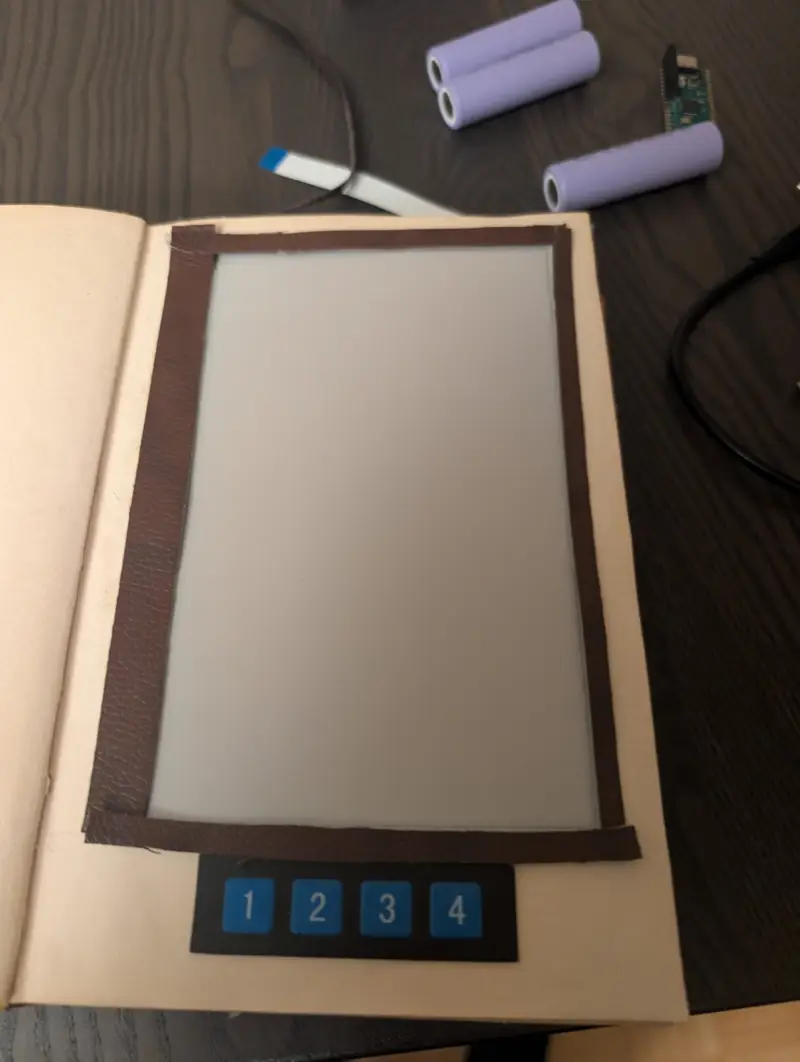
The project began with a Raspberry Pi 5 and sensors, then took a different direction after Csorba found an e-ink display online. He first considered making an e-book reader, but a roughly 20-second rendering time made that use frustrating. Starting a D&D game with friends suggested a better fit: a dedicated reference that could hold game text and images, while the physical book casing gave the device the look of an old tome.
Two boards divide the work
The Zero 2 W runs the display and page handling. Button presses come from a Pico configured as a human interface device, which behaves like a keyboard to the main computer. Four buttons provide page navigation. Splitting those jobs leaves the Zero 2 W to manage the content and rendering while the Pico supplies a simple input interface.

Csorba’s software uses several layers. A Rust application runs on the Zero 2 W and calls a C program to render text and images on the display. The C renderer is based on Waveshare sample code; Csorba kept it as a low-level component with a public API so other programs can use it. A Node.js application can also start at boot and host a website for uploading the text and image files used in a game.
That arrangement makes the book more than a fixed set of pages. A user can prepare material through the upload interface, then navigate it with the built-in buttons. The source doesn’t specify the display model, resolution or refresh characteristics beyond Csorba’s estimate of about 20 seconds for rendering in the earlier e-reader concept, so those figures shouldn’t be treated as measurements of every page on the finished device.

Page design follows the display’s limits
Each page can contain up to three paragraphs, and each paragraph can be text or an image. There’s also an option to render a full page. The display supports black, white and red, which constrains how artwork appears and how it must be prepared.
Csorba currently dithers uploaded images by hand to adapt them to those three colors. He identified automatic conversion as a possible future improvement, noting that command-line tools can perform the conversion after upload. Automating that step would reduce preparation work, though the current process already supports the image workflow he needs for game sessions.
The format reflects a practical trade-off: the device can present prepared references and illustrations, but it isn’t designed for fast page updates or unrestricted full-color artwork. For a game aid, where content is typically consulted in response to a question, slow rendering can be acceptable. The page structure also gives the display a predictable amount of material to draw, though Csorba hasn’t provided rendering-time comparisons for different page layouts.
A book-shaped interface for the table
The electronics sit inside a physical book with a cutout for the display, and a separate opening lets the Zero 2 W connect to it. The appearance is part of the design’s appeal: Csorba says the aged-book look and the display’s rendering effect impressed his friends during play. The device is already serving its intended role as a game reference, despite remaining unfinished in a few areas.
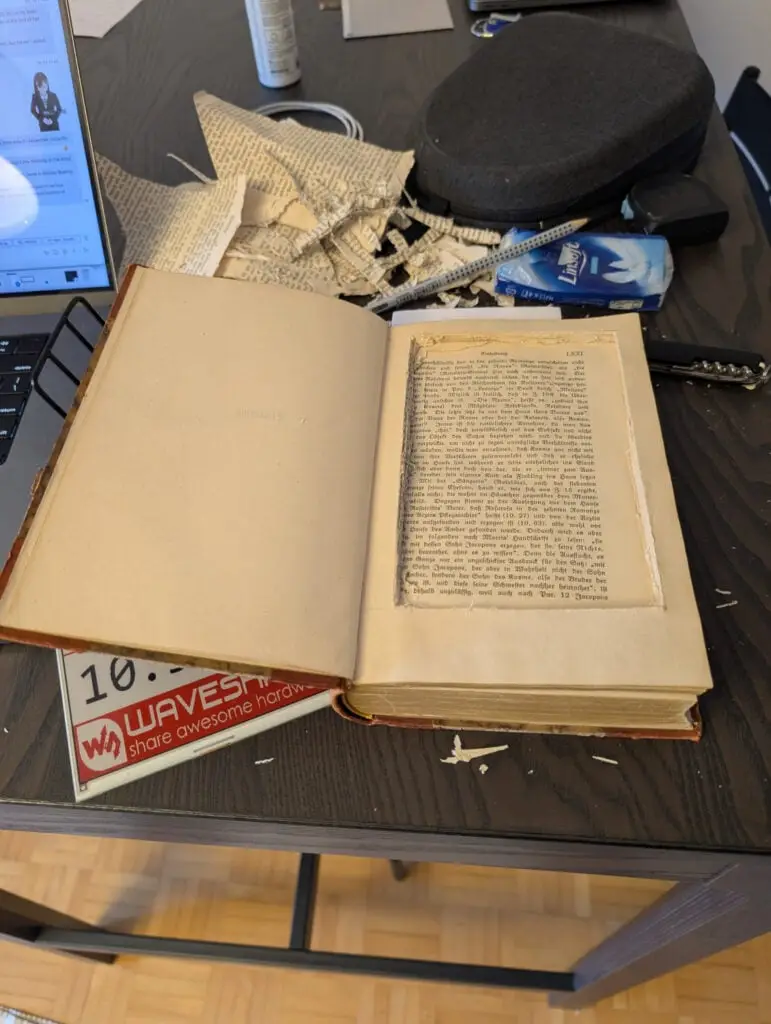
Power comes from a 5500mAh battery. Csorba reports no power problems during the game session, but he gives no session duration or battery runtime, so the result applies to that use rather than establishing how long the book can operate between charges. He also says shutting the system down currently requires logging in through Raspberry Pi Connect.
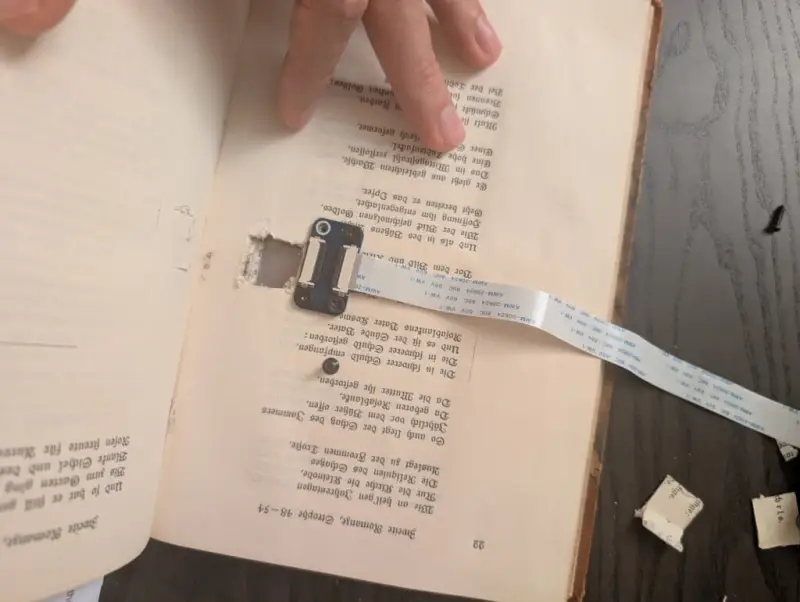
Csorba would like to improve the menu and image rendering, and automatic image dithering remains on his future-work list. For now, the design shows how a slow, limited-color display can suit a focused reference device: the content is prepared ahead of play, the interface is physical and direct, and the book itself makes the electronics feel at home on the tabletop.