DISPLAY VISIONS HMI Modules Add Modbus Master Control for Compact Automation
- Akanksha Gaur
- 321 reads
DISPLAY VISIONS combines touchscreen operation with Modbus master/client functions, letting compact systems manage sensors and devices without a separate PLC.
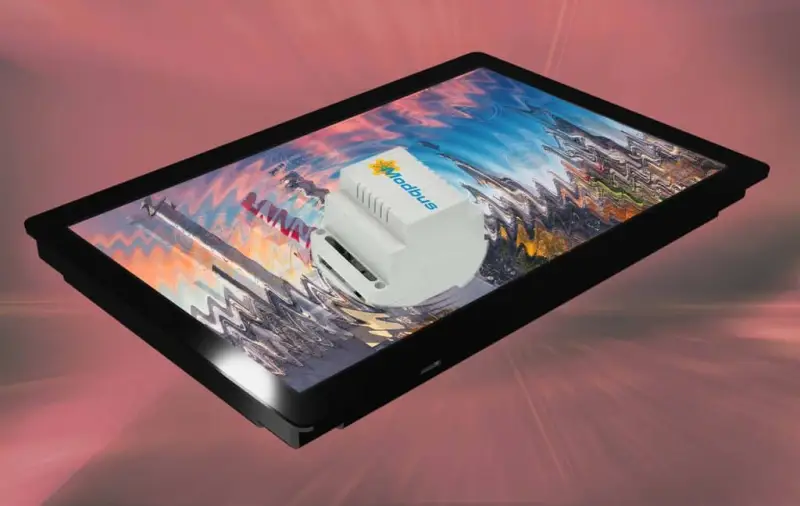
Adding control functions to an operator display can simplify a small automation system: the same module presents information, accepts touch input and communicates directly with field devices. DISPLAY VISIONS’ HMI modules can operate as Modbus master/client devices, allowing them to manage sensors and other connected equipment without a separate programmable logic controller (PLC). For applications with limited control needs, that could reduce hardware and wiring complexity.

From operator interface to control point
A conventional HMI often sits downstream of the PLC. The controller runs the application logic, exchanges data with devices, and sends information to the display; the HMI mainly presents status and accepts operator commands. DISPLAY VISIONS describes a different arrangement for its modules: in master/client mode, the display can initiate Modbus communications with sensors and other devices and manage their inputs directly.

That shift is aimed at small automation systems where a separate PLC may add cost and configuration work out of proportion to the task. Combining the interface and some control duties in one unit can make a compact installation easier to assemble and maintain. The practical value depends on the required control functions and the devices involved; the product information doesn’t specify limits on the number or type of devices a module can manage.

The modules support Modbus RTU and Modbus TCP. The described connection options include RS-485 for serial communications, plus LAN and Wi-Fi/WLAN for network connections. These options give designers more than one way to connect the display to equipment, but the appropriate interface will depend on the devices’ available ports and the installation’s communication requirements.
Five screen sizes and broad device compatibility
The series spans five display sizes, from 2.8 inches to 12 inches. DISPLAY VISIONS also lists high-resolution, high-brightness screens with touch panels. That range gives system designers a choice between a smaller interface for a compact panel and a larger screen where operators need more information visible at once. The product description doesn’t provide resolution, brightness, environmental ratings or touch technology details, so those specifications need to be checked against the selected model.
For systems that retain a separate PLC, the displays can also connect to controllers from Allen-Bradley, Beckhoff, Mitsubishi, Rockwell, Schneider Electric and Siemens. The company also names Arduino and Eaton easyE4 as compatible with the displays. This makes the modules relevant to both PLC-based installations that need an operator interface and smaller builds where the HMI may take on direct device management.

Compatibility names alone don’t establish that every model, protocol setting or controller configuration will work in every application. Engineers will need to confirm the communication method and device setup for their chosen hardware. The available information identifies Modbus RTU and TCP support, but doesn’t give baud rates, network limits or a list of tested device combinations.

Interface development with HMI-Designer
DISPLAY VISIONS provides HMI-Designer, a free WYSIWYG application for building screen layouts and control functions. Users can create custom display content for their application. Putting interface development in a dedicated tool may help teams shape screens around the information operators need, while the control functions can be configured for the system’s requirements.
Combining these tasks in one module also concentrates more of the system’s operation in the HMI. That can reduce the number of separate components in a modest installation, but it makes the display’s communications and configuration part of the control design. Teams should therefore check that the selected module supports the required devices and interface behaviour before settling the system architecture.
The displays are designed and produced in Germany. DISPLAY VISIONS says its development and support team can provide technical assistance. No pricing, model-by-model specification table or detailed performance data is provided here, so those points remain important when comparing units for a particular installation.
Where the architecture fits
The strongest case for an HMI with master/client capability is a compact machine or process that needs an operator screen and direct communication with a limited set of devices. A display that can initiate Modbus exchanges may remove the need for a separate PLC in such a design, while support for established PLC brands leaves room to use the modules as interfaces in a more conventional arrangement.
The deciding question is whether the HMI’s described control and communication functions match the application. Screen size, device compatibility, connection type and the required control behaviour all matter. For small systems, combining display and device management could simplify the hardware layout; the next step is checking those requirements against the exact module and connected equipment.