M5Stack Cardputer Zero Packs Raspberry Pi Compute Module Zero Into a Pocket Computer
- Christopher Jones
- 700 reads
Cardputer Zero pairs a 46-key keyboard and 1.9-inch display with expandable I/O, but its 1750mAh battery favors short work sessions.
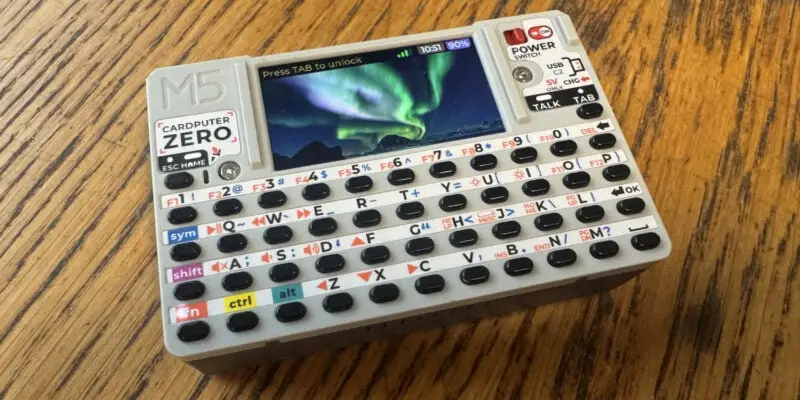
M5Stack’s Cardputer Zero makes a small Linux computer usable away from a desk by combining a Compute Module Zero with a compact keyboard, display, battery and a wide range of interfaces. Its strongest fit is portable command-line work and electronics projects. Battery life sets the limits: the 1750mAh cell ran for 3:46:42 at idle and 1:22:36 under a four-core load in the reported tests.

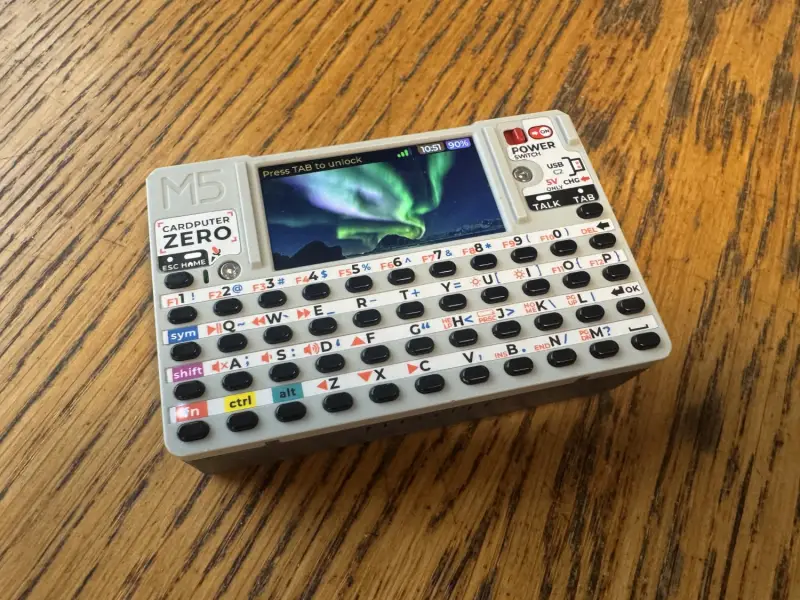
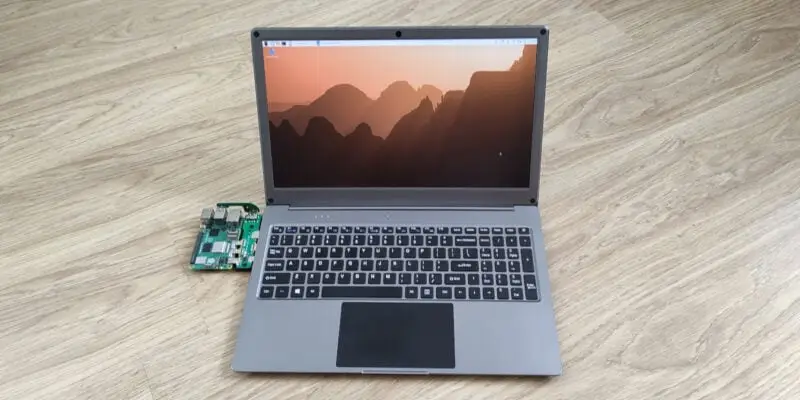
The computer inside is a Compute Module Zero, a system-on-module made for the Chinese industrial market and sold by EDATEC. Based on the RP3A0, it provides the core processing capability of a Raspberry Pi Zero 2 W: a 1GHz quad-core 64-bit Arm Cortex-A53 CPU and 512MB LPDDR2 SDRAM. The module can be supplied with 8 or 16GB of eMMC, but this Cardputer Zero uses a 32GB microSD card instead.
M5Stack’s custom Raspberry Pi OS image includes software tailored to the device’s small screen. The Cardputer Zero became available through M5Stack after a Kickstarter, with the first units delivered in November. The review unit arrived earlier.

Keyboard and compact display
The 46-key keyboard uses a TCA8418 scanner and a 5 × 10 key matrix. Its grid layout provides alphabetical characters alongside Shift, Fn and Sym modifiers. Special characters are printed on the keys, with blue, red and orange markings to distinguish the modifier layers. Double-tapping a modifier locks it, and indicator LEDs show when one is active. The Esc/Home and Talk/Tab keys each have a secondary function, accessed by holding the key for three seconds; a setup guide introduces the layout.
Typing takes adjustment. The small keys and compact arrangement aren’t suited to long passages, but they give command-line work the precision it needs: entering commands, launching programs and making edits to files. That makes the keyboard a practical interface for focused tasks, rather than a substitute for a full-size one.

The 1.9-inch ST7789 IPS screen runs at 320 × 170 over SPI. It can show roughly 45 characters across ten terminal rows, enough to read and work in a shell despite the limited space. A conventional desktop interface would be cramped, so the custom software presents one app icon at a time.
The tested app collection included CLI, Python, ZClaw, SSH, IP Panel, Files, Camera, Rec, Music, Piano, Compass, IR Remote, IR Chat, Calculator, Snake, Tank, Keyboard Guide, Factory Test, GPS, LoRa, NFC, SubG, Chat, Settings and Store. Store highlights included RaspyJack, a red-team penetration-testing tool; MeshTerm, a MeshCore client; and RFID, an NFC/UHF scanner. The available selection makes the device more than a small terminal, while keeping its interface designed around the display.
Interfaces for electronics work
Cardputer Zero’s range of connections is a major part of its appeal. It has two USB-C ports, one for charging and one for 5V output, plus USB-A, Ethernet, a 3.5mm audio jack, a speaker driven by a 1W amplifier, a microphone and a camera. The Compute Module Zero also supplies Wi-Fi and Bluetooth.
Onboard sensing and control hardware includes a BMI270 motion sensor, BMM150 magnetometer, RX8130 real-time clock, and infrared transmitter and receiver. A PORT.X Grove connector can be switched between I2C and UART, with GND, 5V, TX and RX pins. That opens the device to Grove modules such as sensors, buttons and servos.
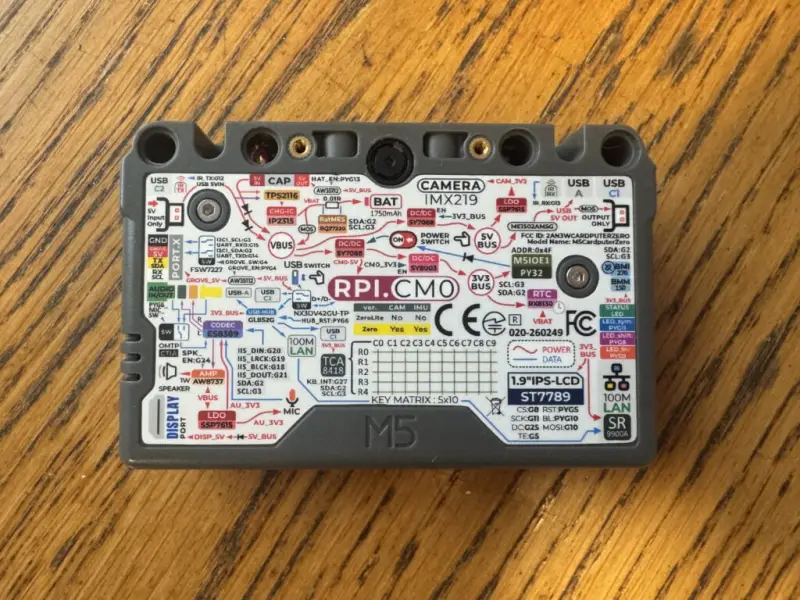
A separate 14-pin expansion header carries SPI, UART, I2C, USB, GPIO and 5V input and output. Between the header and Grove connector, the Cardputer can serve as a compact controller or host for external electronics. Its rear label includes a diagram of the internal chips and buses, a useful guide when planning connections.
Battery life and heat
The 3.7V, 1750mAh lithium battery is monitored by a BQ27220. In an idle test, a script logged battery and CPU temperatures every 30 seconds. Runtime reached 3:46:42; the battery peaked at 37.5°C and the CPU at 51.5°C.
With all four CPU cores under load, runtime fell to 1:22:36. The battery temperature climbed to 49.9°C, while the CPU reached 79.5°C and was likely held there by Raspberry Pi firmware throttling. The case became warm but remained comfortable to hold in the test.
Those results put the Cardputer in the short-session category. Leaving it powered on through a morning drained the battery before the day was done. Its rocker switch initiates a safe shutdown, and startup took 41.46 seconds. Switching it off between tasks makes more sense than expecting it to behave like an all-day laptop.
Projects and practical fit
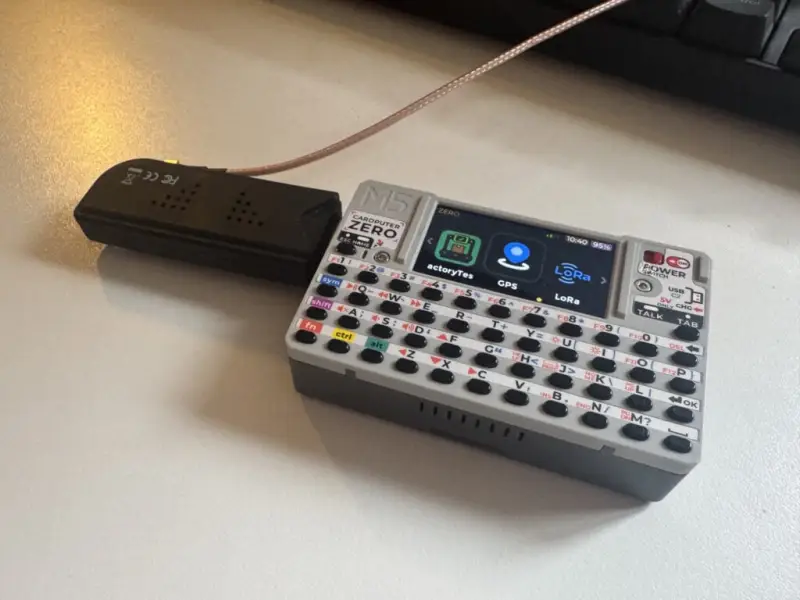
In one project, a DVB-T software-defined radio dongle connected through USB-A supported Flightradar24 and local aircraft tracking. The Cardputer worked as both a Wi-Fi hotspot and flight tracker, forming a portable plane-spotting setup.
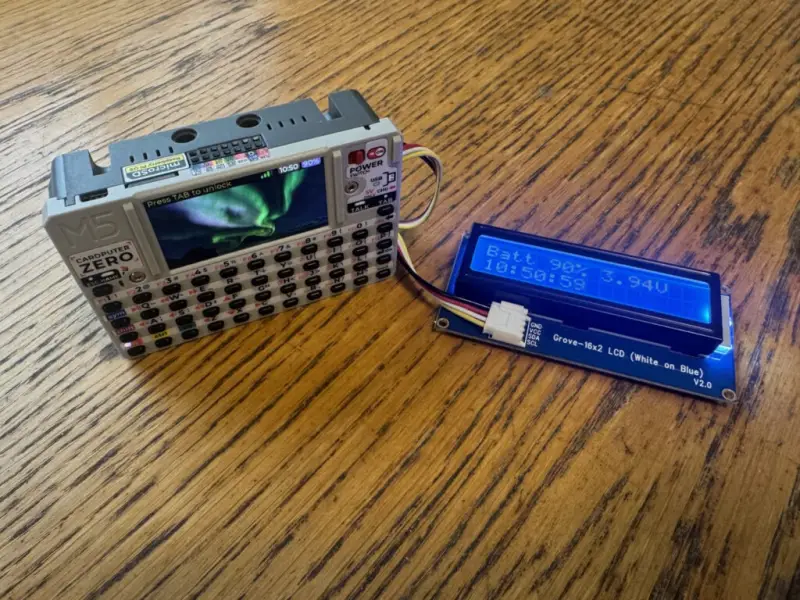
A second project paired a Grove 16 × 2 LCD with a Python script to display battery level, voltage and the current time. Both examples put the expansion options to work without demanding a large host computer.
Cardputer Zero’s appeal is the combination: a real Linux-capable module, an integrated keyboard, and enough ports and sensors to connect it to varied hardware. Its small screen and short battery runtime demand focused use, while its keyboard and expansion interfaces make scripting and niche electronics projects readily portable.